ChatGPT Business Hub Is Here: Why Agents and Brokerages Should Claim Their Profile Early
 By Chrystal CaruthersFounder, AuthorityContent.aiPublisher, The Mortgage Note
OpenAI now lets businesses claim and manage how they appear in ChatGPT. Here's what Business Hub does, why it works like a Google Business Profile for AI search, and how real estate teams can get ahead.
TL;DR / Executive Brief
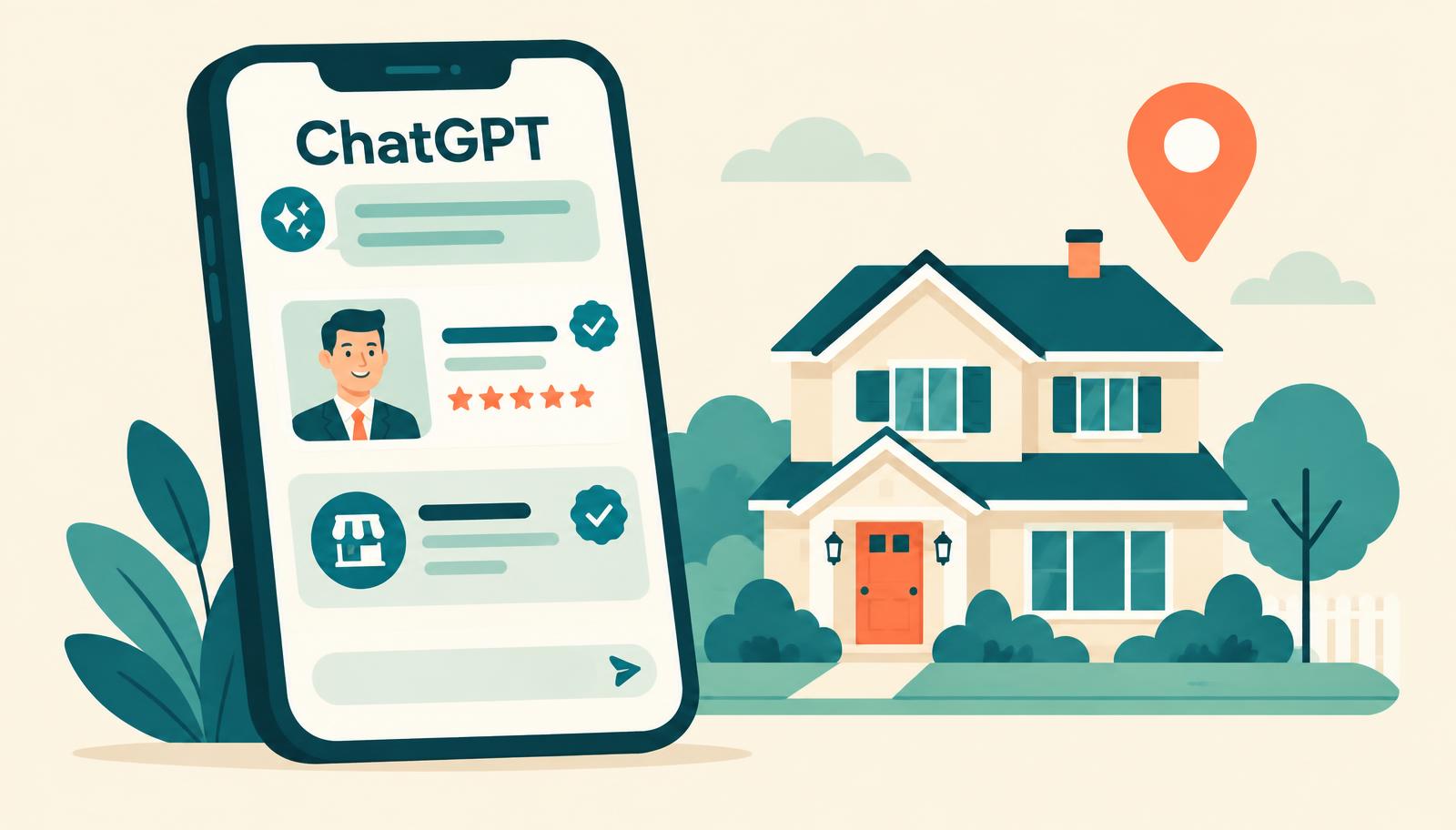
- OpenAI launched Businesses in ChatGPT in beta. Through Business Hub, a business can claim its profile, keep its details current, and see how people engage with it.
- For agents and brokerages, it works much like a Google Business Profile for AI search: You control the facts ChatGPT uses when buyers and sellers ask local questions.
- Early movers get a head start on accurate profiles, clean data, and insight into the questions that bring people to them.
AI search just got a front desk
For years, Google Business Profile has been the place where local businesses tell search engines who they are. OpenAI has now built something similar inside ChatGPT. It is called Businesses in ChatGPT, and it is managed through a new tool called Business Hub.
OpenAI says ChatGPT reaches 1.2 billion people each week. More of those people are asking it the questions they once typed into a search bar: Who is a good listing agent near me? Which neighborhoods fit my budget? Who can help a first-time buyer? Until now, agents had little say in how ChatGPT answered. Business Hub changes that.
What Business Hub actually does
According to OpenAI's announcement, Business Hub has three parts:
- Claim your business: Once verified, a business can update its key details so ChatGPT uses accurate, current information.
- See engagement insights: Business Hub reports how often a business is mentioned, how many website clicks it gets, and "discovery topics," the common themes in conversations where its website is cited.
- Business Agents: Eligible businesses can build a labeled, branded chat that people can open from the business's ChatGPT profile to ask follow-up questions.
Two details matter for real estate. First, Business Agents are launching only for eligible U.S. ecommerce and online service businesses, so most agents and brokerages will not have one yet. Second, OpenAI says it does not share users' conversations with businesses. Insights are aggregated and appear only once there is enough activity.
Early notification list
Be first in line when Business Hub opens to real estate
Business Hub is rolling out in stages, and real estate profiles are not open to everyone yet. Join the Authority Content early notification list and we will email you the moment OpenAI expands it to agents and brokerages — so you can be first in line for an optimized Business Hub profile, built by Authority Content.
Why this matters for agents and brokerages
Real estate is local, personal, and trust-driven. When a buyer asks ChatGPT for help, the answer depends on what the model can find and believe about you. If your brokerage name, office address, service areas, and specialties are scattered or conflicting across the web, the model has less reason to mention you.
A claimed profile gives ChatGPT a clear source of truth. That is the same lesson agents learned with Google Business Profile: The businesses that claimed early, kept details accurate, and collected reviews became the default local answer.
Buyers are asking AI who to call. A claimed profile helps make sure the answer is accurate.
Four steps to claim your place early
1. Claim and verify your profile
Claim your business in Business Hub using your own website domain. Independent agents and teams with their own brand should claim under their own site, not a generic corporate page, so the profile points back to them.
2. Make your basic facts match everywhere
Use the same name, address, phone number, license details, and brokerage affiliation on your website, Google Business Profile, Zillow and Realtor.com profiles, social pages, and state records. Conflicting details make it harder for AI tools to trust who you are.
3. Be specific about where and how you help
Name real places: cities, counties, neighborhoods, ZIP codes, and school districts, not just a state. Then list your niches, such as first-time buyers, relocation, probate and trust sales, luxury waterfront, or small multifamily investing. Specific details help ChatGPT match you to specific questions, like "Who are the best listing agents in South Austin?"
4. Use discovery topics to guide your content
Once insights appear, look for gaps. If you are cited for "best school districts in [Town]" but never for "how to sell my home in [Town]," your website is missing seller-focused answers. Turn your top recurring topics into neighborhood guides, FAQs, and market explainers that answer those questions directly.
Plan ahead for Business Agents
OpenAI plans to expand Business Agents to more markets and categories over time. When they reach real estate, keep the scope simple and compliant. A Business Agent is a good fit for educational and operational questions, like what documents a buyer needs, how the home-buying steps work, or how to book a consultation.
Advice about pricing strategy, contracts, financing, or legal questions should stay with a licensed professional. Set up a clear handoff so interested buyers and sellers reach a real person on your team, and follow your brokerage's compliance rules and your state's advertising requirements.
Frequently asked questions
Key takeaways
- Business Hub lets businesses claim their ChatGPT profile, update key details, and see aggregated engagement insights.
- For real estate, it works like a Google Business Profile for AI search.
- Consistent facts, specific service areas, and clear niches help ChatGPT match you to local questions.
- Discovery topics show which questions bring people to you and where your content has gaps.
- Business Agents are limited to ecommerce and online services for now, so prepare a compliant, human-handoff plan before they expand.
Find out how AI search sees you today
Before you claim your profile, learn where you show up in AI answers and where you're missing.
Take the AI Visibility Audit